Turn daytime renders into night scenes with AI.
AI lets you turn a bright daytime render into a moody night scene. No need to re-render the model. Give clients a true feel of the space across different times of day.
Daylight render or photo
Day, evening, blue hour, night
No 3D scene rebuild needed
Daylight to night

Atmospheric rendering
Show the same design in the light your client needs to feel.
Time-of-day changes are ideal when the model is already done but the story is not. Plaicio gives teams a fast way to explore how daylight, sunset, blue hour, and night alter the emotional read of a space.
Day to night conversion
Turn a bright daytime image into evening, blue hour, or a moonlit night scene without reopening the 3D model.
Geometry stays familiar
Preserve the room, landscape, camera angle, material layout, and key design intent while the atmosphere changes.
Lighting that sells the mood
Add warm interior glow, soft exterior lamps, long shadows, moonlight, and believable contrast for client presentations.
Connected variations
Keep each time-of-day option attached to the same source so teams can compare and continue from the strongest direction.
One render, multiple moods
Move from clear daytime to evening and night variants.
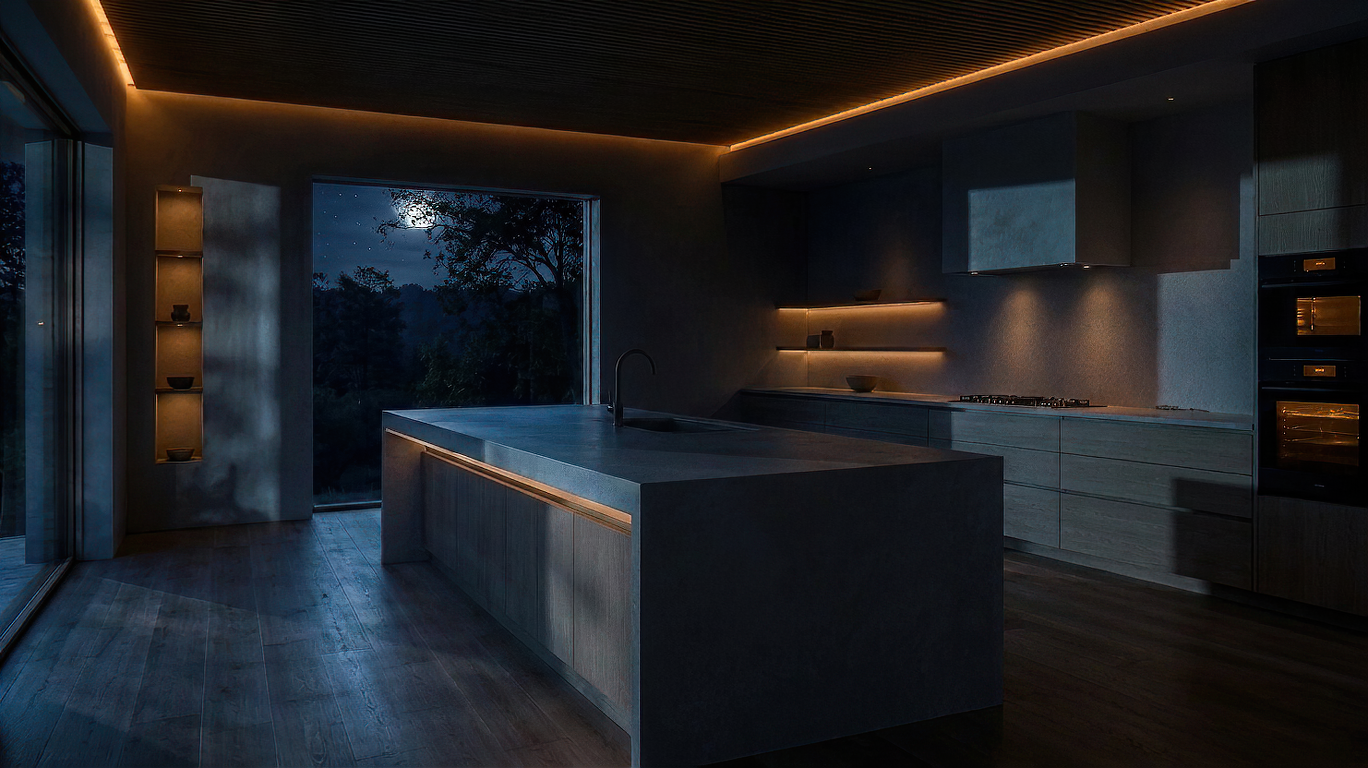
Each version keeps the same kitchen composition while changing the outside light, interior glow, shadow temperature, and visual drama.
Client storytelling
Make the emotional shift obvious in one comparison.
A side-by-side view helps clients understand how the same scene reads under a different sky, with different shadows, reflections, path lights, and interior glow.
Workflow
Change the time of day in one connected visual path.
Source render
Start with the daylight image your client already approved.
Upload the render or photo as the visual anchor. Plaicio keeps the composition, architecture, landscape, furniture, and camera position recognizable.
Time direction
Choose the atmosphere you need for the conversation.
Move from clear daytime to golden evening, blue hour, or night. The AI adjusts sky, shadows, reflections, glow, and color balance around the same scene.
Canvas review
Compare options without losing the project path.
Keep the source and generated time-of-day versions together so the team can pick the strongest visual and keep iterating from it.
Canvas history
Keep every time-of-day option visible while you decide.
Plaicio keeps source images and time-shifted outputs connected, making it easier to compare day, evening, blue-hour, and night options before presenting the strongest visual.
Presentation uses
Use atmosphere to answer different client questions.
Some decisions only become clear when clients can see the scene outside perfect daylight. Time-of-day variants make lighting, warmth, safety, intimacy, and visual drama easier to discuss.
Show night, evening, and blue-hour options before the next meeting.
Upload a daylight render, choose the mood, and turn one approved view into a set of client-ready time-of-day visuals.